What the numbers mean
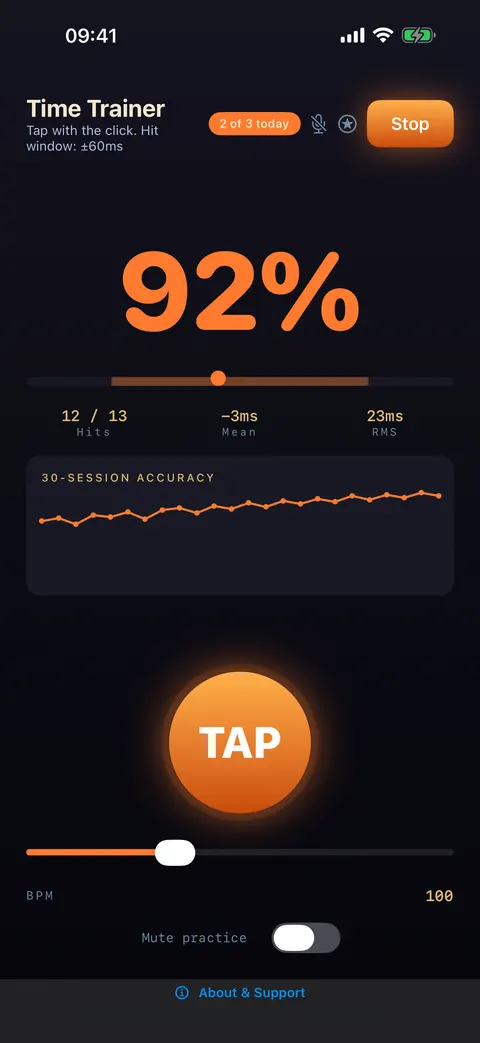
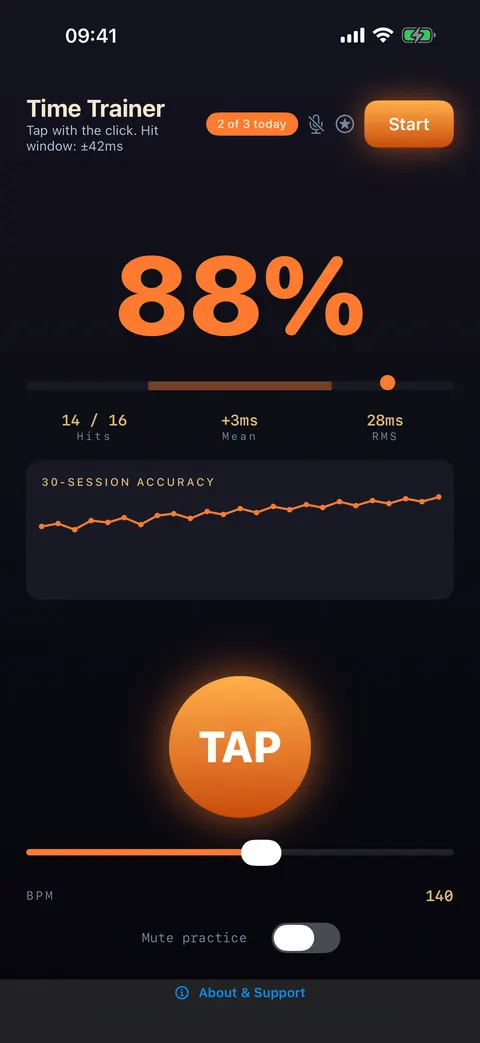
Each tap is scored against the nearest beat. It counts as a hit if it lands inside the hit window, which is ±10% of one beat, kept between 25 and 80 ms. At 100 BPM that is ±60 ms. At 140 BPM it tightens to ±42 ms. The subtitle tells you the current window.
Hits (for example 12 / 13) and the big percentage tell you how often you were inside the window. The two numbers underneath are more useful. Mean is your average offset: negative means you are rushing, positive means you are dragging. RMS is how much you scatter around that average. A player with a Mean of −3 ms and an RMS of 23 ms is centred but inconsistent. One with +20 ms and 8 ms is very consistent, but late.
The 15-minute routine
Minutes 1 to 3: tap along at the default 100 BPM with the click. Don’t chase the percentage. Watch Mean and see which way you lean.
Minutes 4 to 8: switch on Mute practice. The click plays four beats and then goes silent. The default gap is 2 beats, and the screen shows "KEEP TIME" with a countdown while it is quiet. Keep tapping through it. When the click comes back you get a result: Drift (how far you had wandered, in ms) and Jitter (how uneven you were). When the drift stays small, add another silent beat, up to 8.
Minutes 9 to 12: drop to 60 BPM and do it again. Slow tempos leave a long gap between beats to fill with your own pulse, which is where most people drift.
Minutes 13 to 15: set the BPM (40 to 220) to a song you are working on, and finish there.
Use the Challenges to push the tempo range
The star button opens Challenges, which run you through a set of tempos and ask for a minimum accuracy: Warm Up (60, 80 and 100 BPM at 80%), Locked In (80 to 160 BPM at 95%), Iron Tempo (100 to 180 BPM at 90%), Full Range (60 to 180 BPM at 85%) and Sprint Mode (120, 140 and 160 BPM for 20 seconds each at 90%). They are a good weekly check that your time holds up at tempos you don’t usually practise at.
Take it to the metronome
Once your drift in the silent gaps is consistently small, take the same idea into real practice with SUS4 Metronome. Its Mute every setting drops the click out for a set number of bars (up to 16), and the Practice trainer under Programs raises the tempo from a start BPM to a target every few bars. That is a good way to take a difficult passage up to speed without losing the time you have built.