4chordsStudios

Guides · Listening and transcription

How to transcribe music by ear without guessing every note

Transcribing music by ear is the process of turning sound into something you can play, sing, write or explain. It is less about having a magical ear than about reducing the size of the question. Start with a short phrase, slow it down without changing its pitch, and verify each decision against the recording before moving on.

The method, step by step

  1. Choose a phrase you can repeat

    Mark a bar, vocal line or riff that lasts only a few seconds. If you cannot sing or clap the phrase back, make the loop smaller before trying to name any notes.

  2. Find the pulse and tonal centre

    Tap the beat and listen for the note or chord that feels like home. The pulse narrows the rhythmic choices; the tonal centre narrows the pitch choices.

  3. Slow and loop the recording

    Reduce the speed while keeping the original pitch, then loop the smallest useful section. Listen for one layer at a time rather than trying to decode the whole mix at once.

  4. Work from bass to detail

    Identify the lowest movement or root first, then the melody, then inner notes and articulations. A reliable outline is easier to correct than a pile of guessed detail.

  5. Write it and play it back

    Put the result into a lead sheet, notation or a simple recording. Play along with the original at normal speed; the places that disagree show you exactly what to revisit.

Why transcription feels harder than it is

A finished recording contains several questions at once: what is the rhythm, which instrument is carrying the line, what is the bass doing, and how are the notes voiced? Trying to answer all of them simultaneously creates the feeling that everything is unclear. Separating them makes the work measurable.

Begin with the most stable information. The pulse and the bass often give you a frame for the melody. If the phrase still feels vague, sing it, clap it, or play one note at a time until your attention has something concrete to compare.

Use slowing down and looping as listening tools

Slowing a recording is not cheating; it changes the time available for your ear to notice the attack, pitch and release of a note. Keep the pitch unchanged so the interval relationships remain the same. Looping then lets you compare one hypothesis repeatedly instead of restarting the whole track.

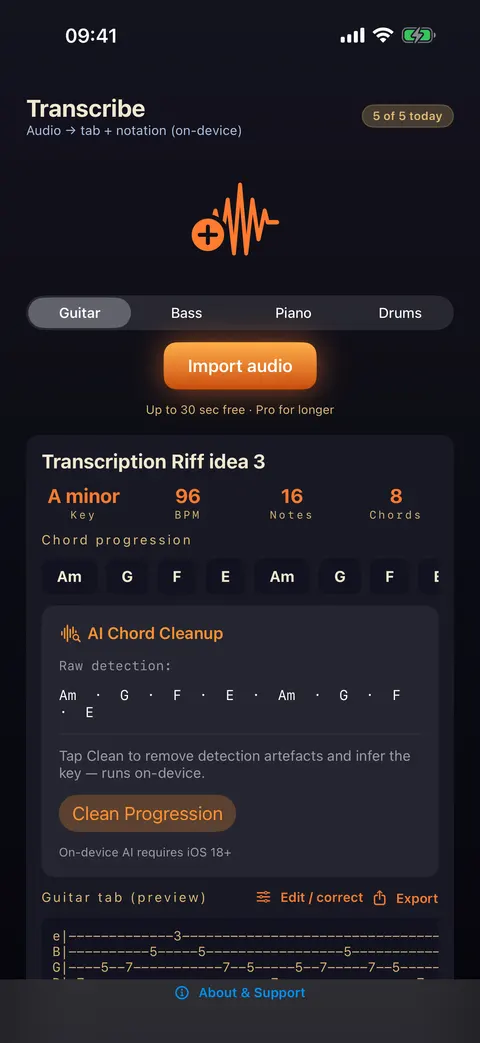
SUS4 Transcribe is designed for this part of the process: load the audio, set a small loop, and reduce the speed while preserving pitch. The app is a listening aid, not a replacement for deciding what you hear.

Identify chords from the lowest useful information

When a chord is difficult, listen for its bass note first. Then decide whether the chord sounds major, minor, suspended or dominant before worrying about extensions. A chord name is a useful summary, but the voicing and movement are what make the part sound like the recording.

SUS4 Chord ID is useful for a chord played directly into a microphone; SUS4 Chord Detector is aimed at chords in a recording or speaker source. Treat their result as a clue to check with your ear, especially when the source is dense or noisy.

Write a version you can use

The best transcription is not necessarily the most detailed one. A chord chart may be the right result for a rehearsal, while a lead sheet or full notation may be better for an arrangement. Write the rhythm and structure clearly enough that another musician can use it without your verbal explanation.

SUS4 Score is built for clean lead sheets and scores on iPhone, iPad and Mac. Use it after the listening decisions are made, so notation supports the music rather than slowing down the first pass.

Common questions

What should I transcribe first?

Start with a short phrase you can repeat, ideally one instrument or voice over a few seconds. Begin with its rhythm and bass or root movement, then add melody and detail.

How can I slow down audio without changing pitch?

Use a transcription tool with independent speed and pitch handling. The pitch should stay at the original key while the timing becomes slower, allowing you to hear attacks and intervals more clearly.

Do chord-detection apps replace ear training?

No. They can provide a useful hypothesis or confirmation, but listening, singing and playing the result are what build the skill. Use detection to shorten the search, then verify it against the recording.